Real-world context, in seconds

See your projects
where they actually are.

Place your model on photorealistic 3D tiles of the real site, then turn any view into a photorealistic image or video with AI — from your browser, or without ever leaving Revit, SketchUp or Rhino.

See the gallery

Free to install and explore • $1 of render credit to start • No credit card

30s typical render
4 apps Revit, SketchUp, Rhino, web
<$0.30 most images
Works where you already design

One account. Four ways in.

The desktop plugins export, upload and place your model for you. Your credits, models and projects are shared across all of them.

Revit add-in SketchUp extension Rhino plugin Any browser

Stay in your model

A dockable viewer sits beside your model. Dock it, tab it, or float it on a second monitor — your host app remembers where you put it.

Camera sync, both ways

Match the viewer to your active 3D view, or let it follow live as you orbit and pan. Found a shot in context? Send it back as a real view.

Links and materials intact

Export carries textures and element metadata, and you choose which linked models come along. Filter and inspect them once they are on the globe.

Get the plugins
How it works

Model to finished render, in three moves

Place it on the real site

Pick the location on photorealistic 3D tiles — the same real-world imagery you know from Google Earth — at true scale and orientation.

Compose the shot

Orbit, set time of day, cut a section, add markups, save named views. Sync the camera to the view you already set up in your CAD app.

Render with AI

Turn the frame into a photorealistic still or a short video. Guide it with reference images and a prompt, and see the cost before it runs.

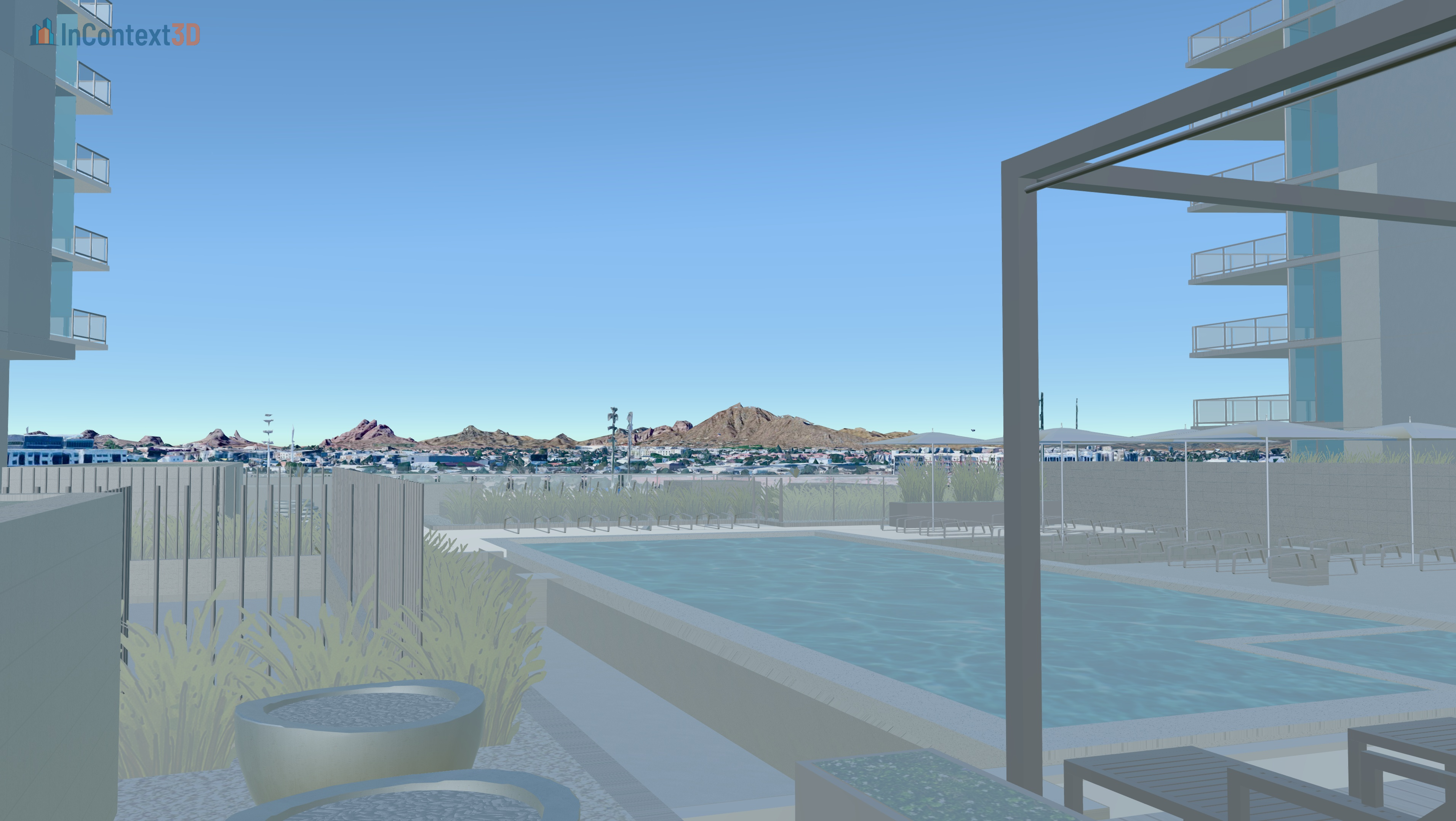
A model placed on photorealistic 3D tiles of its real site
AI rendering

Photorealistic in about 30 seconds

Not hours on a render farm, and not a subscription per engine. We integrate the leading image and video models behind one interface, and you pay per render.

Massing model placed in real-world context, before AI rendering
Your model, in context
The same view rendered photorealistically by AI
Rendered, ~30 seconds later

Stills

Up to 4K, in landscape or portrait, from the leading image models.

Video

Short clips up to 4K with optional audio — fly the site, not just a still.

References

Feed in materials, moodboards or a photo of the street to steer the result.

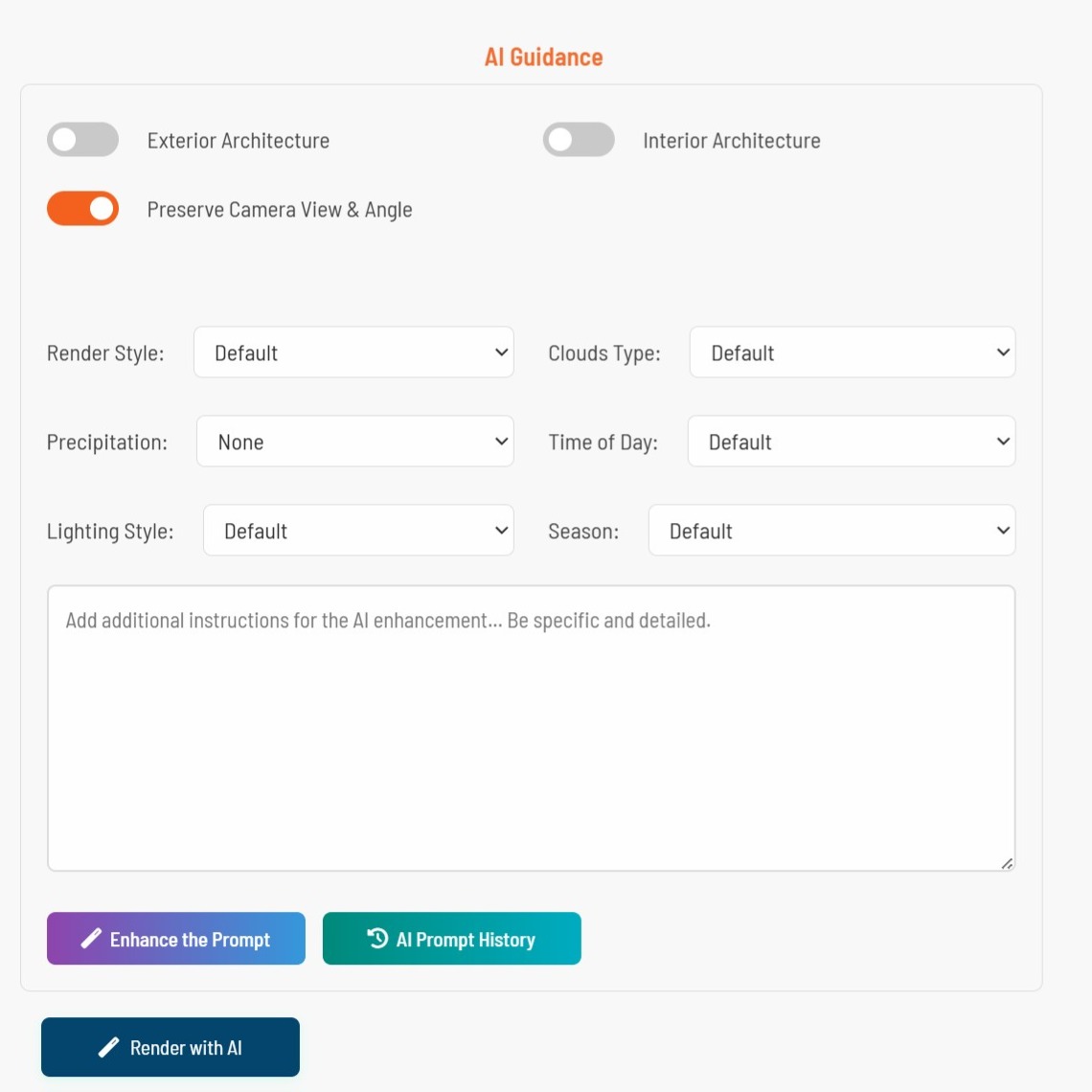
Prompt help

A built-in enhancer turns a rough sentence into a prompt that actually lands.

Bring your work

Your model, web-ready automatically

Push straight from Revit, SketchUp or Rhino, or upload a GLB from anything else. It is optimised for streaming and placed on the globe for you.

  • One-click publish from the desktop plugins — textures and metadata included
  • GLB upload from any other 3D tool
  • Automatic optimisation and tiling for the web
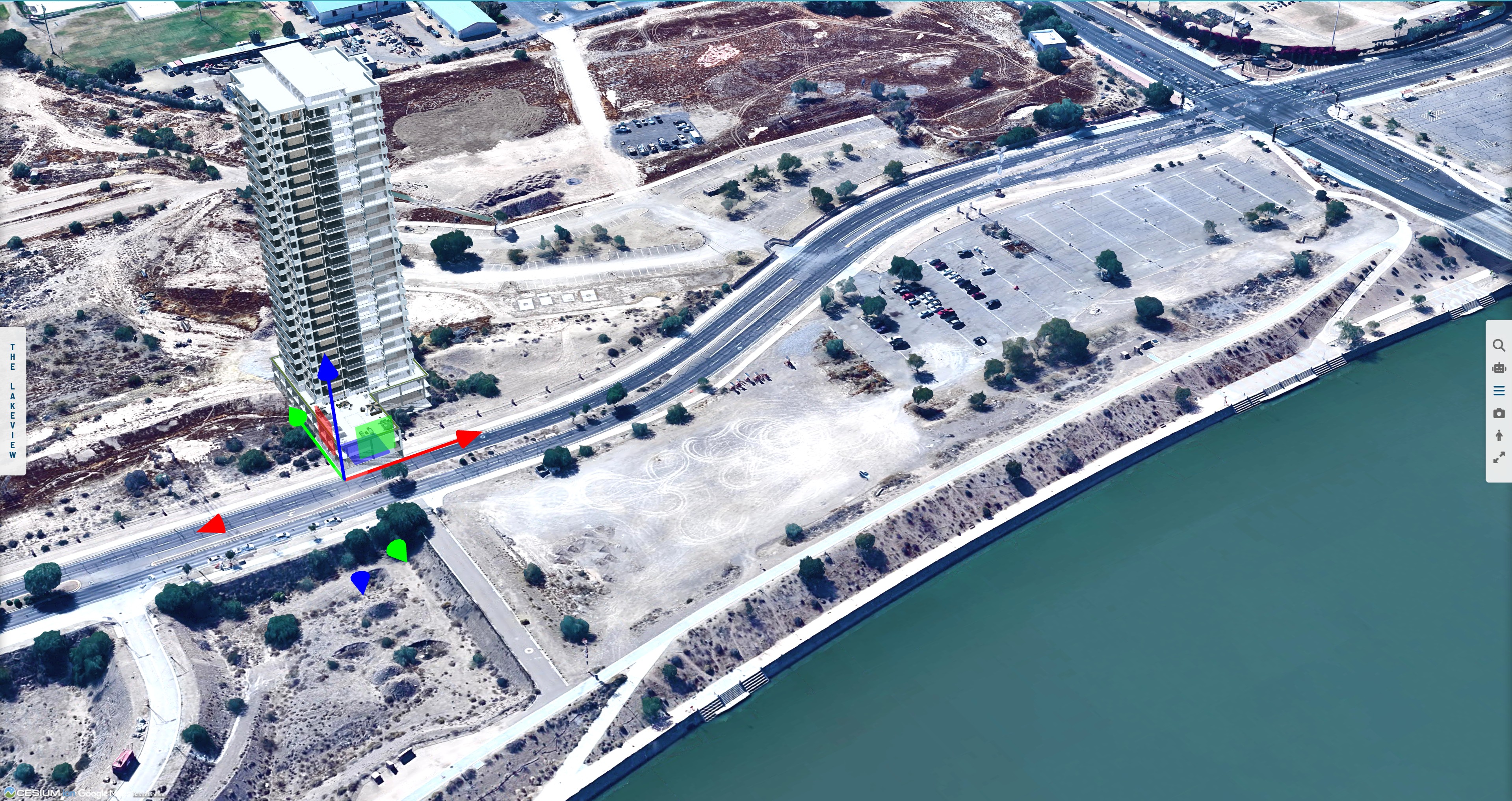
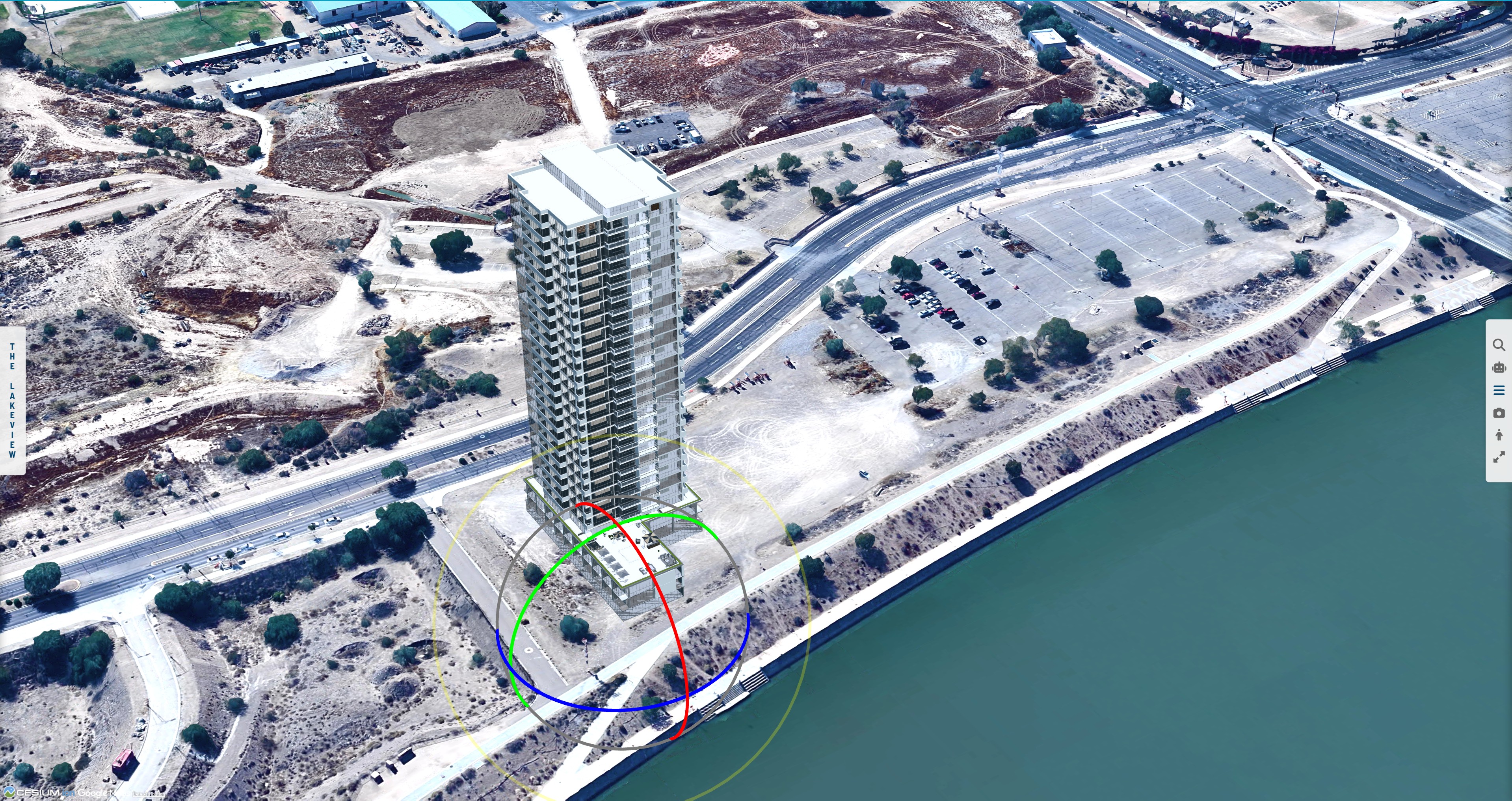
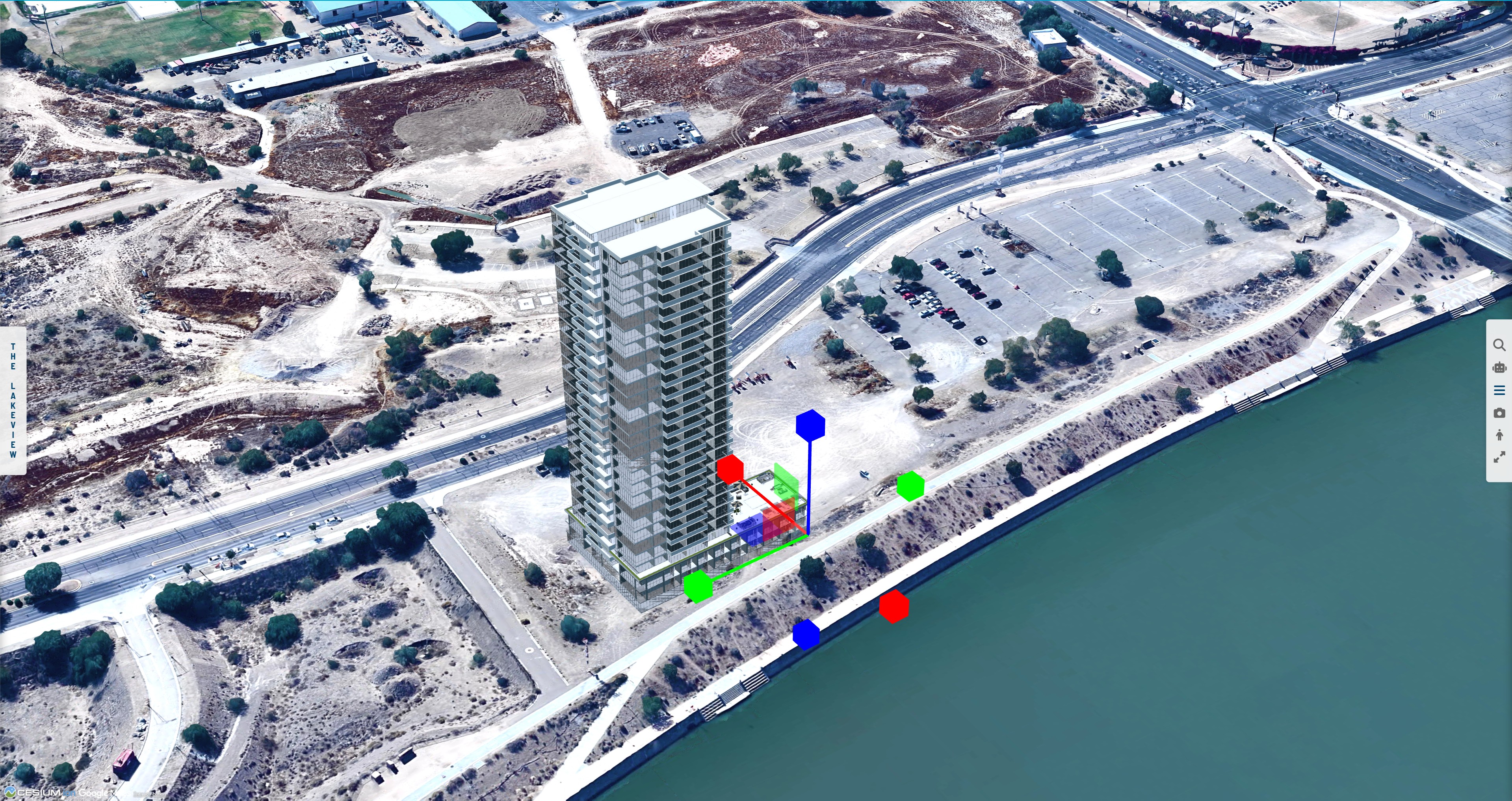
  • Move, rotate and scale with interactive transform controls
  • Cut away existing context so your building reads clearly
More on model imports
Move control
Rotate control
Scale control
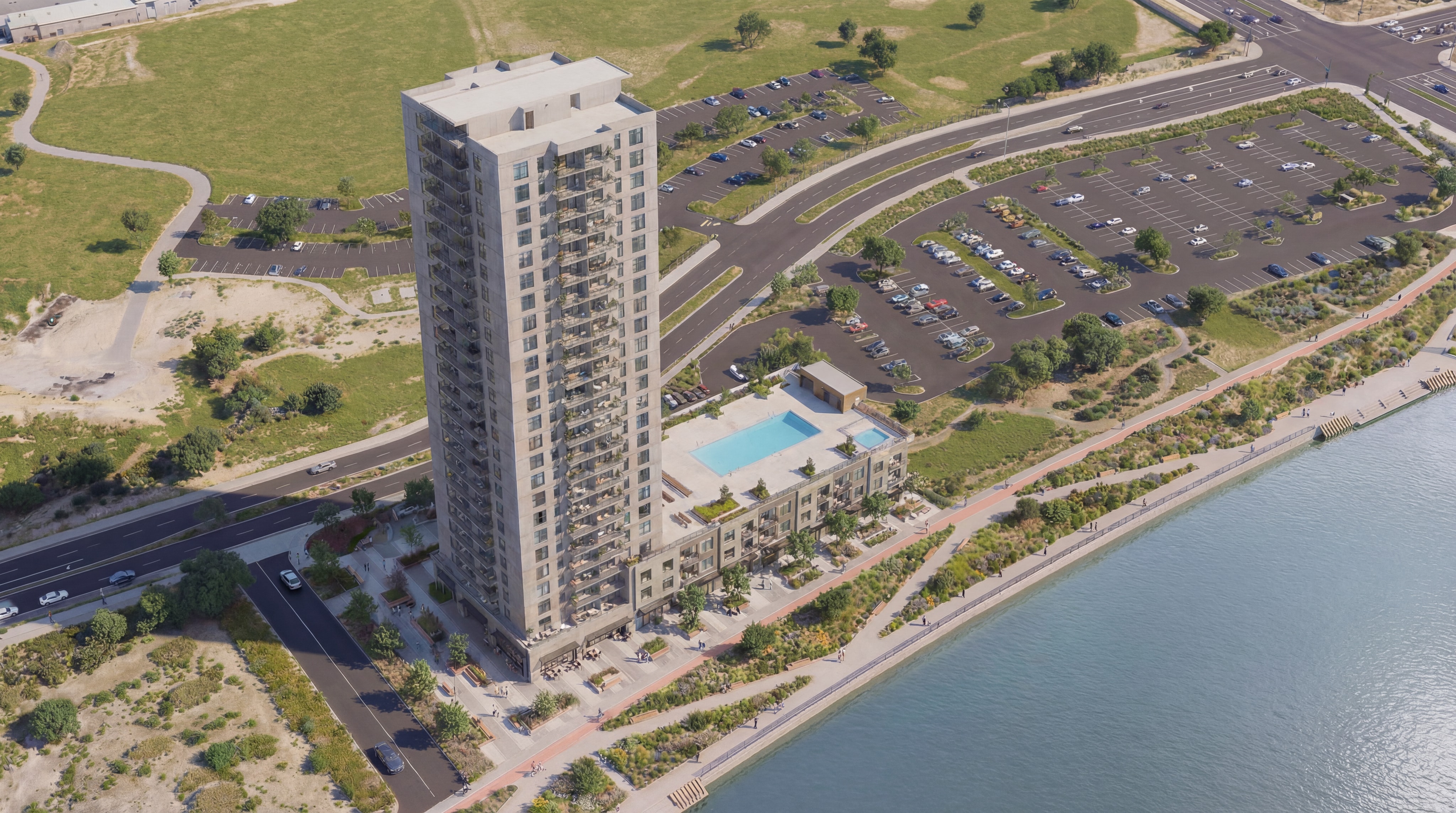
The resulting AI render
Review & collaborate

Mark up the model and the render

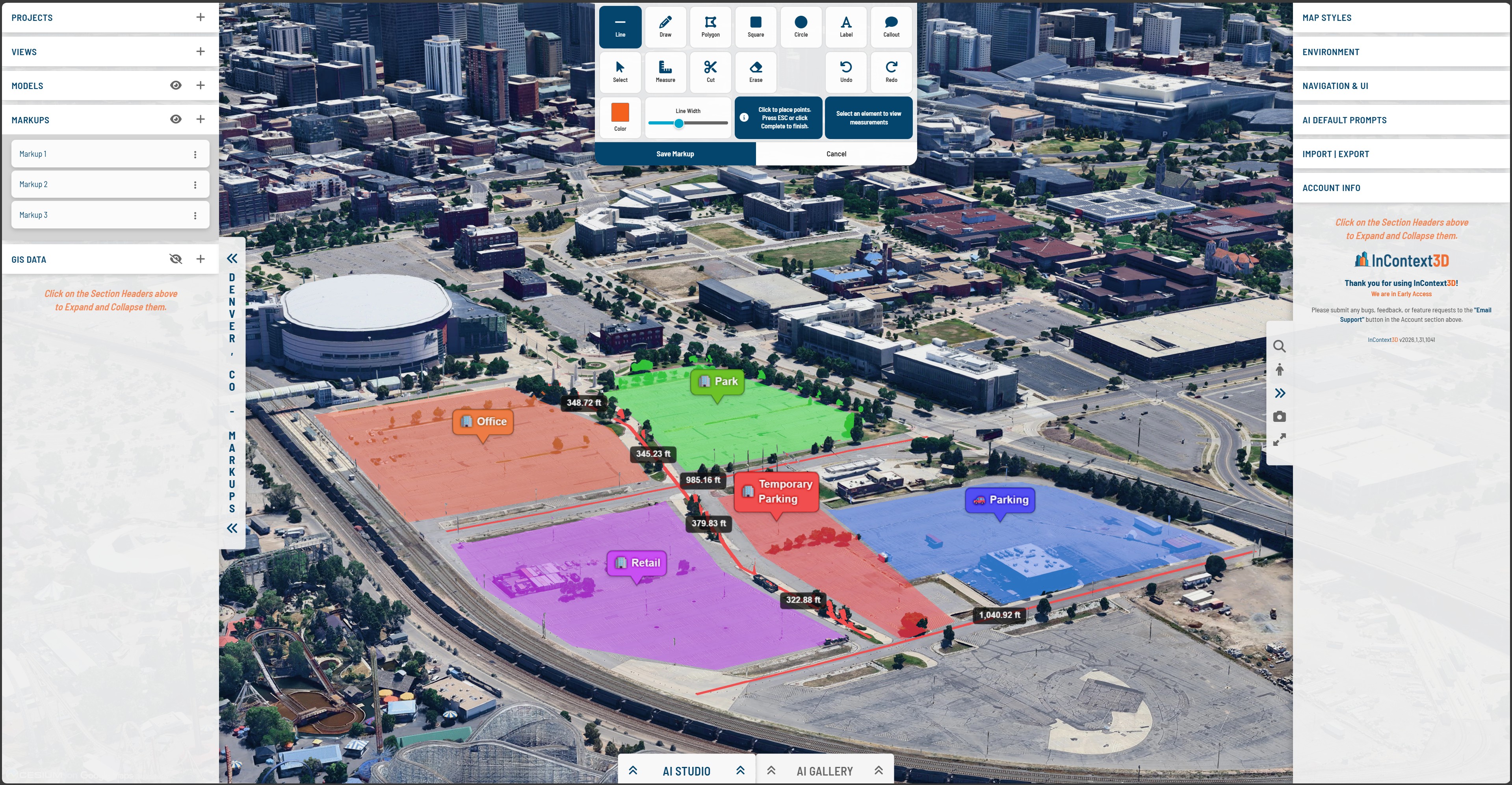
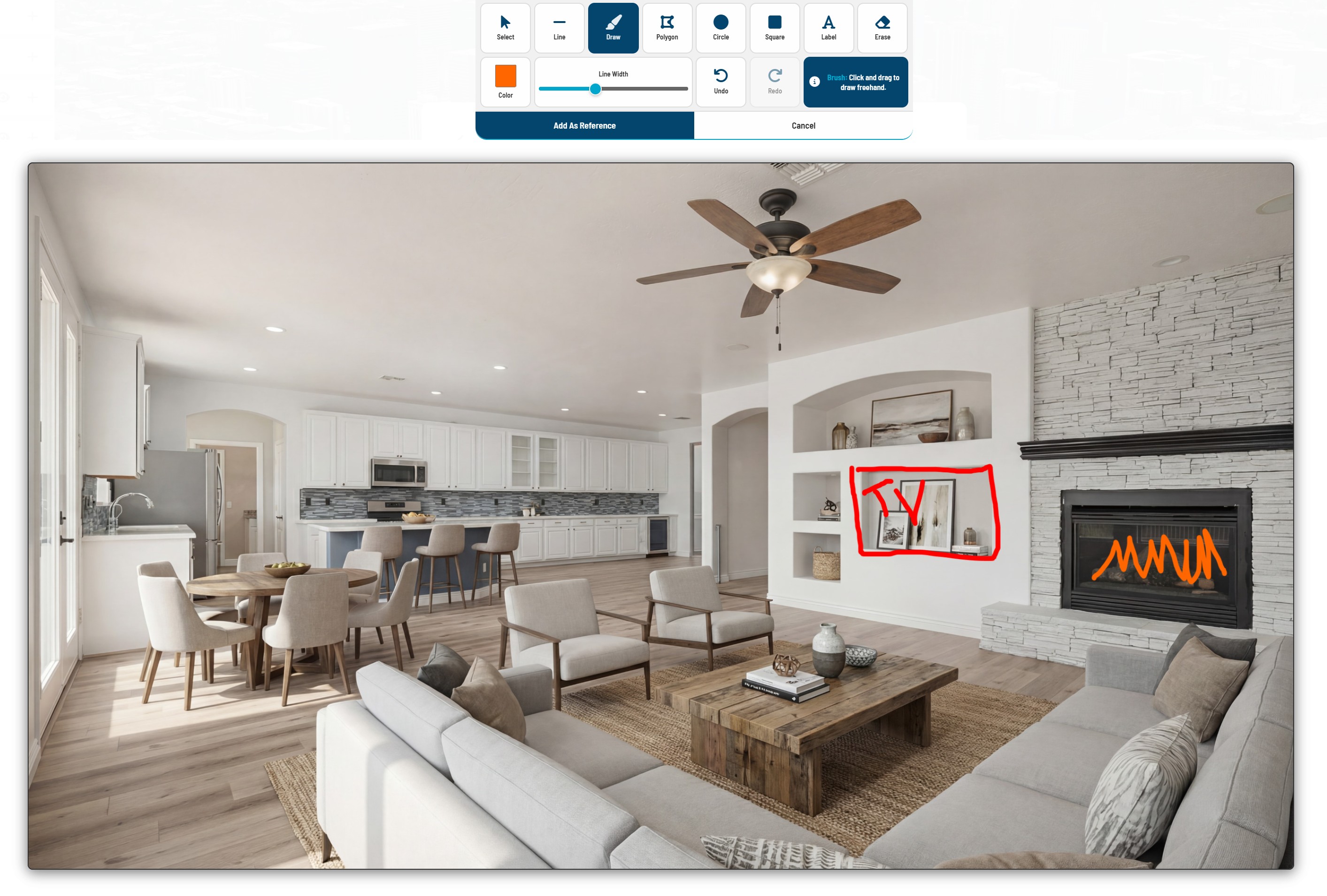
Draw on 3D terrain for design review, or annotate an AI image to tell the model exactly what to change on the next pass.

3D markups drawn on terrain

3D markups for communication

  • Lines, polygons, circles and section cuts on real surfaces
  • Distance and area measurements
  • Text labels and callouts
  • Export to Google Earth .kml
2D markups drawn over an AI render

2D markups to steer the AI

  • Draw directly on a generated image
  • Point at what should change, then re-render
  • Full undo and redo
  • Text labels for precise direction
Design your way

Three ways to set the scene

Global context on real terrain

Use global context

The real Earth — accurate terrain, 3D buildings and location-correct sun.

  • Site planning and urban design
  • Real estate and development
  • Infrastructure
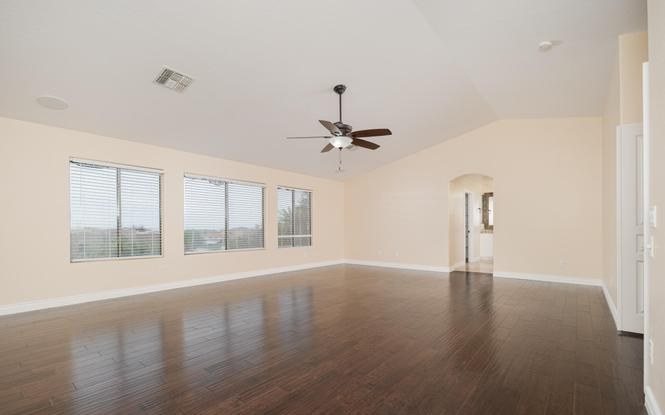
A photograph used as context

Bring your own

Interior photos, site images, existing renderings or reference imagery.

  • Interior design
  • Renovation and fit-out
  • Matching an existing photo
Context created from a prompt

Create it

Describe the setting and let the model build it around your design.

  • Concept and competition work
  • Mood and marketing imagery
  • Early-stage exploration
Pricing

The app is free. Pay only for renders.

No seats, no tiers, nothing locked behind a higher plan. Top up credit when you need it — and you always see what a render costs before it runs.

Everything included

Viewer, plugins, markups, views, model hosting and project sync. The whole feature set, on every account.

Credit, not subscription

Most images land under 30¢. Start with $1 of credit on the house, and top up from $5 whenever you want.

The leading AI engines, in one place

We integrate the leading image and video models so you do not carry a separate subscription for each one.

See full pricing

Ready to see it in context?

Architects, planners, developers, landscape architects and archviz artists are producing site-accurate visuals in seconds rather than hours.

Free app • $1 render credit • No credit card required